
Your mouse is the silent workhorse of your digital life, and most people are using the wrong one.
Introduction: The Unsung Hero Sitting on Your Desk
Think about it, your mouse travels miles every single week. Across spreadsheets, design canvases, browser tabs, and video calls. Yet most of us pick a mouse the way we pick a pen: without thinking too hard about it.
That changes today.
Whether you’re a student burning midnight oil on assignments, a remote worker grinding through back-to-back Zoom calls, or a content creator who lives inside Premiere Pro, the right wireless mouse is the difference between a comfortable, fluid workflow and wrist pain that sneaks up on you after years of bad choices.
We’ve put together an honest, no-fluff breakdown of 5 Best Wireless Mouse that cover every budget, from a jaw-dropping ₹339 to a premium ₹1,099, each with something genuinely interesting to offer. Let’s get into it.
1. ASUS MD102 Silent Mouse – The Quiet Overachiever
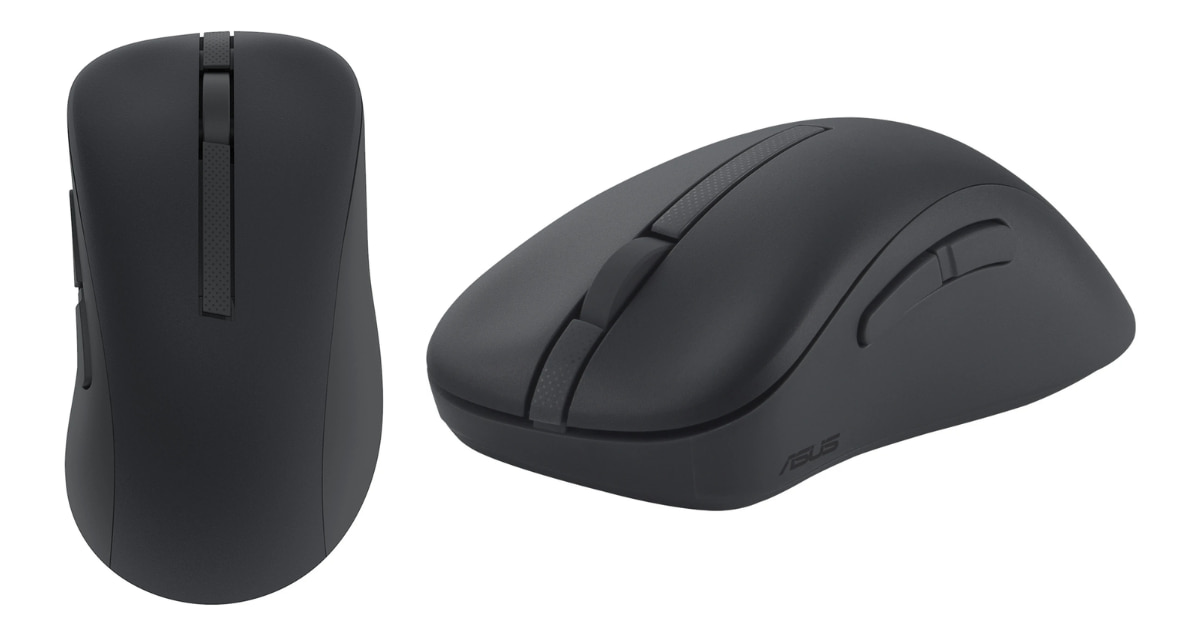
Price: ₹1,099 | Wireless: 2.4GHz + Bluetooth 5 | DPI: 1600 | Weight: 92g
If mouse had personalities, the ASUS MD102 would be the composed, efficient professional who shows up early, says little, and gets everything done right.
The headline feature, and it’s a real one, is the silent click mechanism. If you’ve ever sat in a library, a co-working space, or a quiet bedroom while someone else sleeps, you know that the click-click-click of a regular mouse is genuinely irritating. ASUS has engineered the MD102 to suppress that noise without sacrificing the tactile feedback your fingers expect. The click still feels decisive. It just doesn’t announce itself to the entire room.
Why It Stands Out
The MD102 plays a dual game with connectivity, pairing via 2.4GHz wireless (through a USB 3.0 dongle) for low-latency precision work, or switching to Bluetooth 5 when you want to preserve a USB port on your laptop or connect to a tablet. The dedicated connectivity switch button means you can flip between paired devices without diving into settings. This is the kind of small-but-brilliant detail that only reveals itself after you’ve owned the mouse for a week.
The ambidextrous form factor with a dedicated thumb rest is thoughtfully executed, wide enough to anchor your grip during long sessions, narrow enough that it doesn’t feel like a brick. At 118.9mm long and 42mm tall, it occupies a compact footprint without cramming your fingers together.
At 1600 DPI with a 1000Hz polling rate (meaning the cursor position updates 1,000 times per second), cursor responsiveness is crisp and immediate. Most everyday users will never need more than this.
And battery life? ASUS promises up to 12 months on a single AA, which means the battery that comes in the box might genuinely outlast your memory of when you installed it.
Who Should Buy This
Power users who toggle between multiple devices, anyone working in shared or quiet spaces, and people who want a premium-feeling mouse that doesn’t scream “gaming” in a corporate meeting.
In the box: Mouse, USB Dongle, AA Battery, Quick Start Guide, Warranty Booklet.
2. Dell WM126 – The ₹599 Mouse That Refuses to Fail
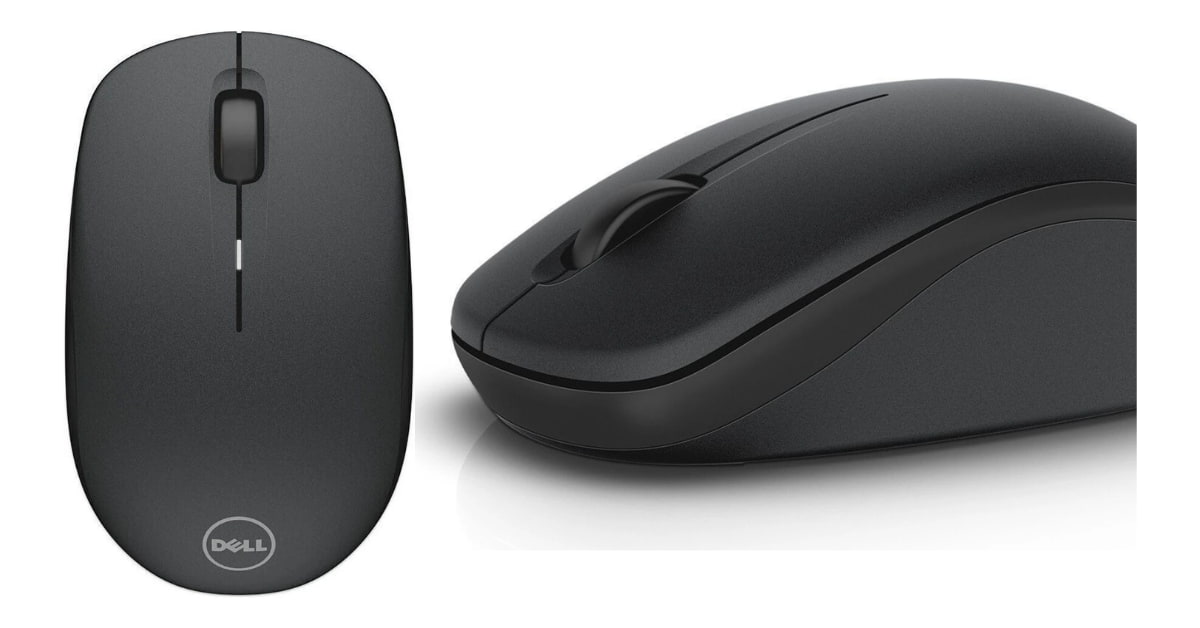
Price: ₹599 | Wireless: 2.4GHz | DPI: 1000 | Weight: 90g
Dell has been making boring, reliable peripherals since before most of us owned computers, and the WM126 is that tradition distilled into a ₹599 wireless mouse that simply works.
The Case for “Boring”
There’s something underrated about a mouse that has no tricks, no gimmicks, and no weaknesses. The WM126 connects via a 2.4GHz nano receiver (small enough that you can leave it plugged in your laptop and forget it’s there), delivers 1000 DPI optical tracking across virtually every surface, and runs for up to 12 months on a single AA battery.
The truly notable detail? The nano receiver supports up to 6 compatible devices through Dell’s unified receiver ecosystem. If you already own Dell peripherals, this is immediately useful, one receiver, multiple gadgets, zero clutter.
At 90g, it’s nearly identical in weight to the ASUS above, but the WM126 has a slimmer, lower profile (just 20mm tall vs the ASUS’s 42mm). This makes it feel lighter in the hand for users who prefer a flatter grip style, sometimes called a “claw grip” or “fingertip grip.”
Cross-Platform Freedom
This is one of the few mouses in this price range that’s officially compatible with Windows, Linux, Chrome OS, and Android, all plug-and-play, no driver installation needed. If you run Ubuntu or use a Chromebook, this is quietly a big deal.
Switch life rated at 5 million clicks. That’s roughly 13,698 clicks per day for an entire year before you’d statistically hit the limit. In practice, this mouse will outlive several laptops.
Who Should Buy This
Office workers, students, Linux users, and anyone who needs something that Just Works without fuss or fanfare, especially if they’re already in the Dell ecosystem.
3. Logitech B175 – The Universal Everyday Companion
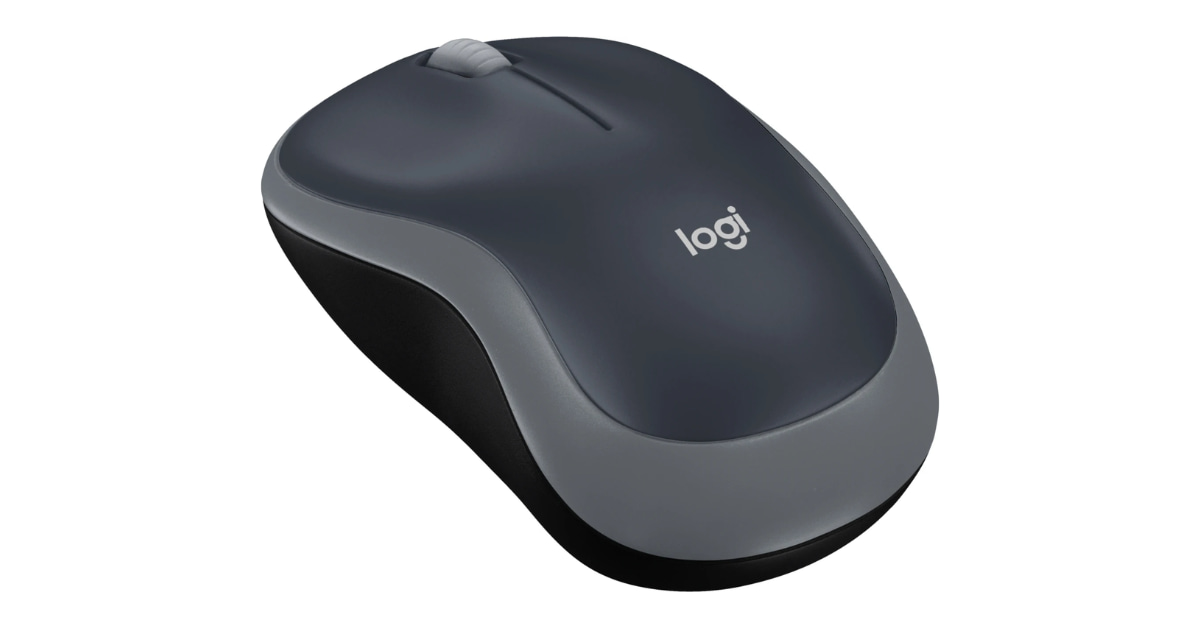
Price: ₹595 | Wireless: 2.4GHz | Weight: Light | Range: 10m
Logitech doesn’t accidentally make popular products. The B175 has earned its place as one of the most recommended budget wireless mouse in India, not through flashy specs, but through a combination of broad compatibility, ease of use, and that characteristic Logitech build quality that holds up through years of daily abuse.
The Logitech Advantage
What separates the B175 from generic budget mouse isn’t any single spec, it’s the Unifying Receiver. Logitech’s proprietary Unifying technology means one tiny receiver can connect up to 6 compatible Logitech devices. Already own a Logitech keyboard? Your B175 might share the same dongle. That’s a USB port permanently reclaimed.
The B175 supports a remarkably wide range of operating systems: Windows XP through Vista and 7, Mac OS X 10.5+, and Linux Kernel 2.6. In a world where most peripherals are laser-focused on Windows 10/11, this backward compatibility is genuinely useful for IT departments, older machines, or development environments running legacy software.
The 10-meter wireless range is another quiet achievement, most users work within 2 meters of their machine, but the extra range means the signal won’t stutter if you’re presenting from across a room or working in a larger open-plan space.
Powered by a single AA battery with a battery life that comfortably stretches through months of regular use, the B175 keeps things delightfully simple: plug the receiver in, the mouse wakes up, you’re working. No pairing sequences. No Bluetooth handshakes.
Who Should Buy This
The person who wants a Logitech, a brand they can trust, at the lowest possible price point. Also ideal for shared office equipment, kids’ computers, or a reliable secondary mouse to keep in a backpack.
4. Portronics Toad 13 – The Featherweight Road Warrior
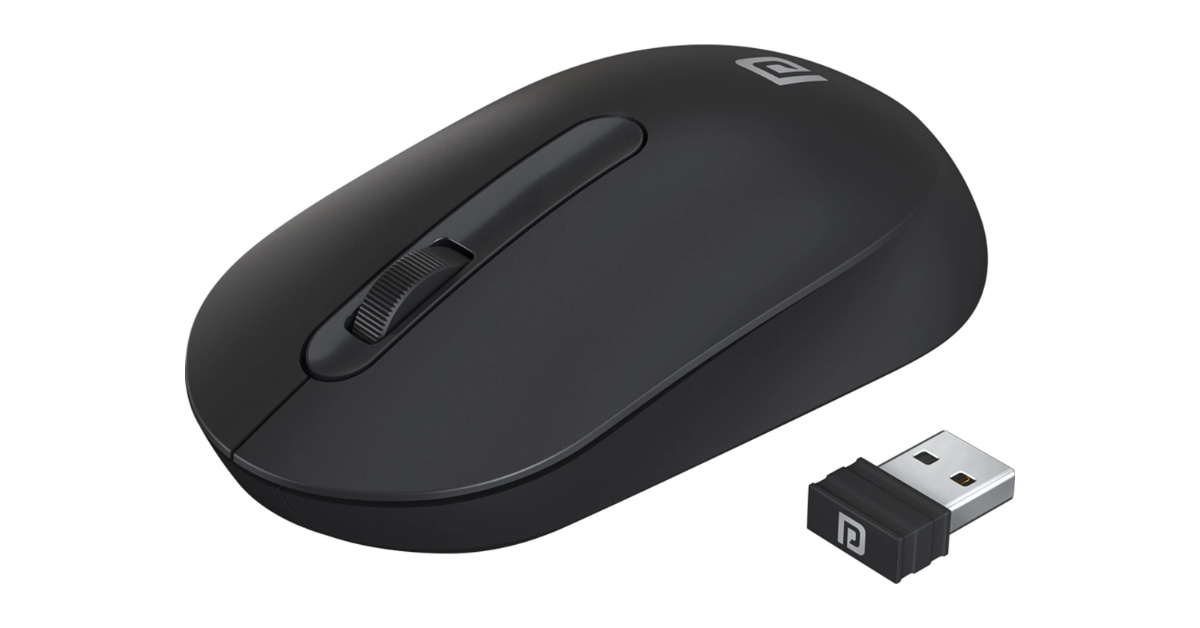
Price: ₹339 | Wireless: 2.4GHz | DPI: 1200 | Weight: 46g
At ₹339, the Portronics Toad 13 shouldn’t be this good. And yet, here we are.
The Weight Revelation
46 grams. Let that sink in. The Toad 13 is almost exactly half the weight of the ASUS and Dell options above. For users who travel constantly, carrying laptops through airports, attending client meetings, working from cafés, that weight saving is tangible and real. Drop it in a jacket pocket. Tuck it into a laptop sleeve. It barely registers.
Despite its flyweight build, the Toad 13 delivers 1200 DPI resolution, the highest of any mouse on this list. That’s a faster, more responsive cursor that covers more screen real estate with less physical movement. For users on large monitors or multi-display setups, higher DPI means less wrist travel across the day.
Built to Last
Here’s the number that catches most people off guard: 30 lakh (3 million) click life. For a ₹339 mouse, that’s a durability claim that rivals products costing three times more. The soft side grips on the ambidextrous body aren’t afterthoughts, they’re specifically designed for extended hold comfort, reducing the micro-fatigue that builds over long work sessions.
The plug-and-forget nano receiver lives up to its name, once plugged in, you can leave it there indefinitely. The 2.4GHz connection operates with the quick signal response that high-frequency wireless provides, meaning even at this price point, cursor lag is not a concern.
One practical note: the battery is not included with the Toad 13. Factor in ₹20–30 for a AA battery, and you’re still comfortably under ₹370 all-in.
Who Should Buy This
Frequent travelers, students on tight budgets, people who want a backup mouse that won’t make them feel bad if it gets lost, and anyone who’s been shocked to discover how much a light mouse changes the feel of daily computing.
5. HP M290 – The Bluetooth Professional
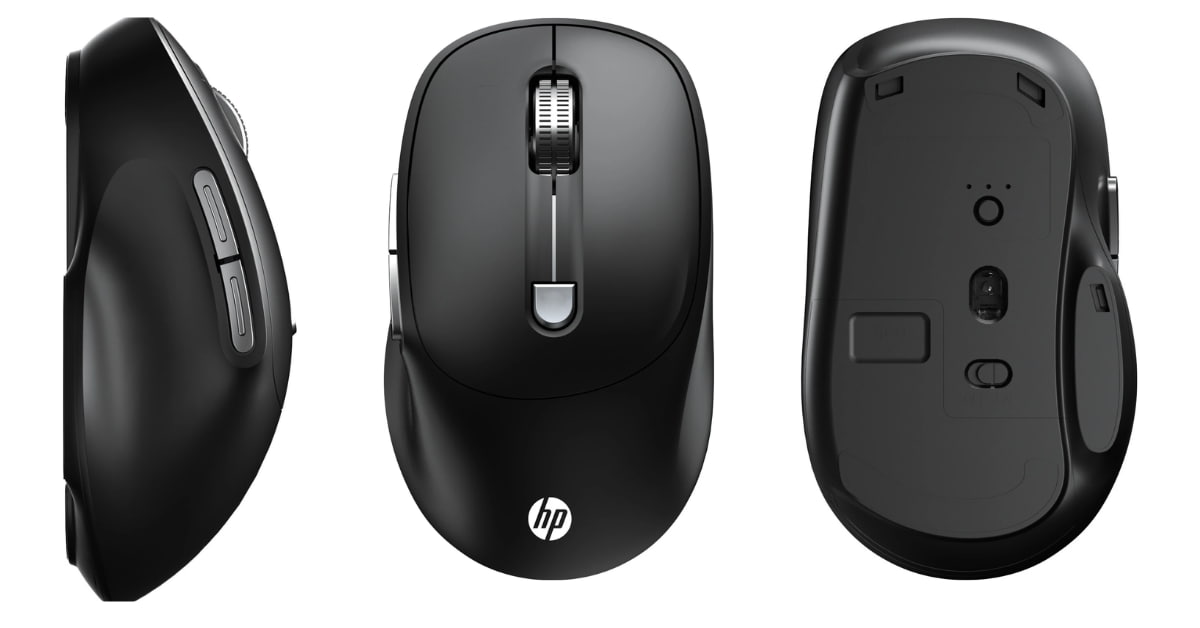
Price: ₹599 | Wireless: Bluetooth | DPI: 1600 | Weight: 60g
Every other mouse on this list uses a 2.4GHz USB receiver. The HP M290 doesn’t. And that single distinction makes it the right choice for a specific, important group of users.
Why Bluetooth Changes Everything
Modern thin laptops, especially ultrabooks and MacBooks, are designed with a shrinking number of USB ports. Some have just one. Occupying that port with a wireless dongle means losing it for a USB drive, an external drive, a charging cable, or anything else. With the HP M290’s Bluetooth connectivity, zero USB ports are sacrificed. The mouse connects directly to your laptop’s built-in Bluetooth radio, nothing to plug in, nothing to lose.
At 60g, the M290 is meaningfully lighter than the Dell and ASUS options, while still feeling substantial enough in hand. The dimensions, 107mm deep, 62mm wide, 40mm tall, give it a mid-size profile that works well across different hand sizes and grip styles without being too polarizing.
The 1600 DPI optical tracking matches the ASUS MD102 for resolution, and the dedicated Mode Switch button gives you quick control over DPI sensitivity settings, useful when toggling between precise detail work and fast navigation across a large screen.
The Ambidextrous Advantage
Like all 5 Best Wireless Mouse on this list, the M290 is fully ambidextrous, equally comfortable for left-handed and right-handed users. In an industry that still defaults heavily to right-handed ergonomics, this is worth calling out: left-handed users finally get a real option at every price point here.
Who Should Buy This
Ultrabook users, MacBook owners, anyone who’s already maxed out their USB ports, and business travelers who want a premium Bluetooth mouse that doesn’t require carrying a dongle.
Side-by-Side: How They Stack Up
| Feature | ASUS MD102 | Dell WM126 | Logitech B175 | Portronics Toad 13 | HP M290 |
|---|---|---|---|---|---|
| Price | ₹1,099 | ₹599 | ₹595 | ₹339 | ₹599 |
| DPI | 1600 | 1000 | Standard | 1200 | 1600 |
| Weight | 92g | 90g | Light | 46g | 60g |
| Connectivity | 2.4GHz + BT5 | 2.4GHz | 2.4GHz | 2.4GHz | Bluetooth |
| Bluetooth | ✅ Yes | ❌ No | ❌ No | ❌ No | ✅ Yes |
| USB Dongle | ✅ Yes | ✅ Yes | ✅ Yes | ✅ Yes | ❌ No |
| Silent Clicks | ✅ Yes | ❌ No | ❌ No | ❌ No | ❌ No |
| Battery Included | ✅ Yes | ✅ Yes | Not specified | ❌ No | Not specified |
| Multi-OS Support | Windows | Win/Linux/Android | Win/Mac/Linux | Win/Mac | Windows |
| Best For | Power users | Office/Linux | Universal | Travel/Budget | Ultrabooks |
The Verdict: Which One Should You Pick?
Get the ASUS MD102 if you value silence, dual connectivity, and don’t mind paying for a genuinely premium experience. This is the mouse that will quietly impress everyone sitting near you.
Get the Dell WM126 if you need cross-platform compatibility, already own Dell peripherals, or want a dead-reliable office mouse that Dell’s name backs.
Get the Logitech B175 if brand trust matters and you want that Logitech Unifying Receiver convenience at the lowest Logitech price point available.
Get the Portronics Toad 13 if you travel frequently, you’re budget-conscious, or you simply want to be surprised by how capable a ₹339 mouse can actually be.
Get the HP M290 if your laptop is running low on USB ports, you’re in the Apple or ultrabook ecosystem, or you want the cleanest, cable-free Bluetooth setup possible.
Conclusion: The Right Mouse Is the One You Stop Thinking About
The best peripheral is the one that disappears into your workflow. You stop noticing it. Your hand moves, the cursor follows, and your focus stays on the work itself, not the tool.
Every mouse on this list earns that invisibility in its own way. From the whisper-quiet clicks of the ASUS to the barely-there weight of the Portronics, from the Logitech’s plug-and-trust simplicity to the HP’s cable-free elegance, there’s a right answer here for every kind of user and every kind of budget.
Choose the one that fits your life. Your hands will thank you.
Affiliate Disclosure & Professional Disclaimer
Affiliate Disclosure: This blog post contains affiliate links. If you click on a product link and make a purchase, we may earn a small commission at no additional cost to you. This helps support the creation of free, honest content on this site. We appreciate your support.
Editorial Independence: The products featured in this article were selected based on their specifications, value proposition, and suitability for different user needs. Our opinions and recommendations are our own and are not influenced by any brand, manufacturer, or retailer. We are not paid to endorse any specific product.
Accuracy Disclaimer: Product prices, specifications, availability, and features are subject to change without notice. All pricing mentioned (in Indian Rupees ₹) was accurate at the time of writing and is sourced from publicly available retail listings. We recommend verifying current prices and availability directly with retailers before making a purchase.
No Warranty: The information provided in this article is for general informational purposes only. While we strive to ensure accuracy, we make no representations or warranties of any kind regarding the completeness, reliability, or suitability of the information. Any reliance you place on this information is strictly at your own risk.
Product Reviews: This article is based on publicly available product specifications and general use analysis. Individual experiences may vary based on usage patterns, hardware configurations, and personal preferences.
Latest Posts

Samsung Galaxy F70 5G Launched in India: Price, Specifications, and Is It Worth Buying?

Flipkart Big Billion Days Sale 2026: Best Deals on Smartphones, Laptops, TVs and More

Samsung Galaxy A56 5G Review: Is This the Best Mid Range Samsung Phone You Can Buy Right Now

Vivo V80 5G India Launch on October 6: Price, Specifications, Camera and Battery Details

Poco M8 Power 5G Price In India Review: Big Battery, Bright Display, But Here Is What It Skips

Fitbit Air Launched in India at Rs 13,999: Price, Features, and How It Compares to Whoop 5

One UI 9 Update Rolling Out to Galaxy S26: New Features, Rollout Status, and How to Download

Realme 16 Pro Harry Potter Edition: Price, Design, and Everything Fans Should Know Before Buying
Redmi Note 17 Pro and Pro Max Launched in India: Price, Specifications, and Everything Worth Knowing

Microsoft Humanist AI Code of Conduct Explained: Why the Company Is Choosing Safety Over Speed

GPT-6 Astra Explained: What OpenAI’s Most Powerful Model Can Actually Do