AFFILIATE DISCLOSURE: This article contains affiliate links. If you purchase through our links, we earn a small commission at no extra cost to you. Read our full Affiliate Disclosure.
Written by M. Akshay | Founder, Bestructure.com Published: July 6, 2026 | Last Updated: July 6, 2026
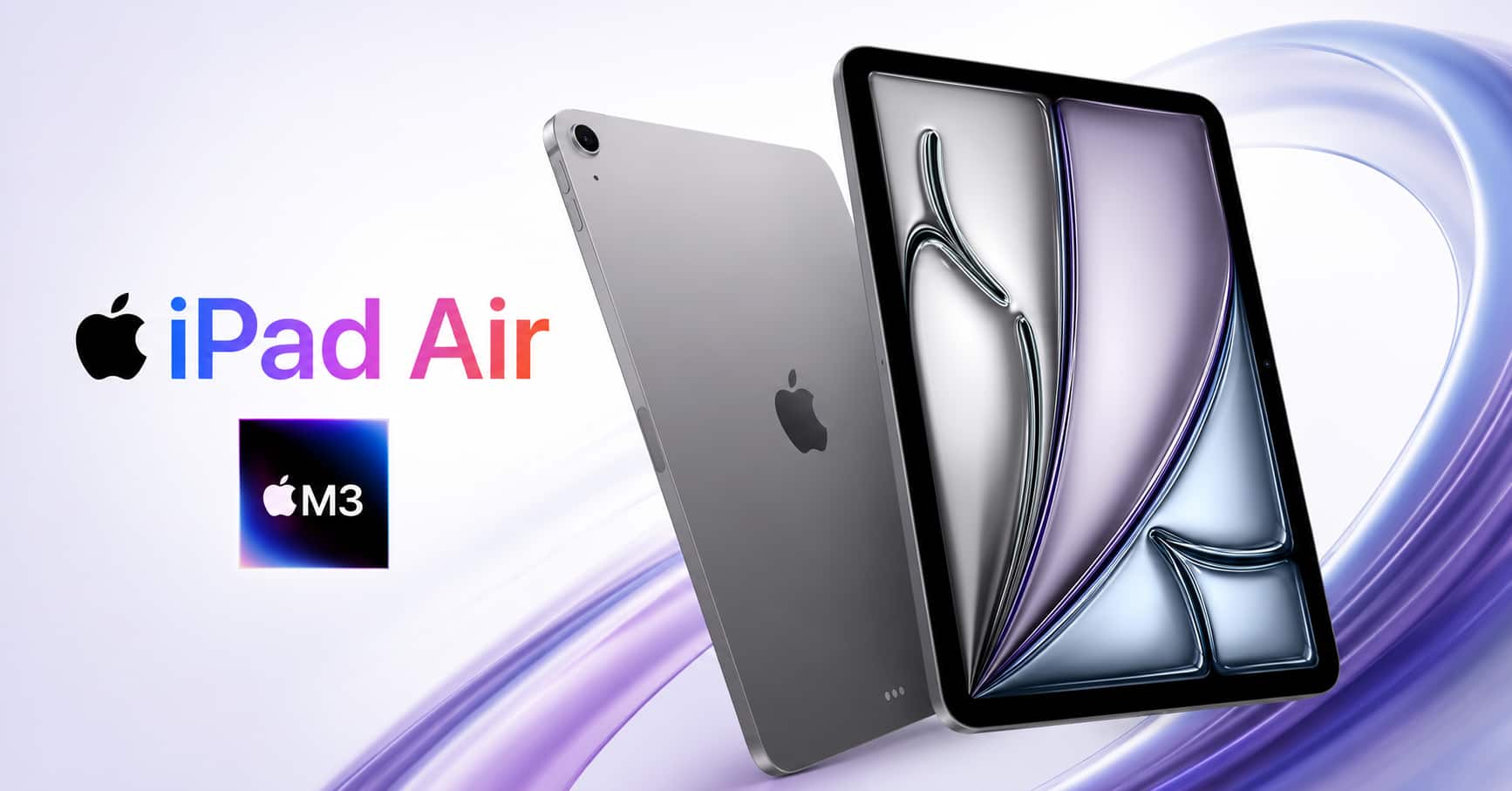
Quick Verdict: The iPad Air M3 suits two kinds of buyers: people who need genuine processing muscle without lugging around a laptop, and people who want a device that won’t feel outdated in two or three years. A chip borrowed straight from Apple’s laptop lineup, a screen precise enough for serious drawing and editing work, and a battery that gets you through a full day without a top-up, packed into a ₹59,900 tablet. This one is built to last, not just to launch.
Here’s something worth admitting upfront.
Tablets priced between ₹50,000 and ₹70,000 tend to blur together. A marginally crisper panel here, a marginally newer processor there, a camera nobody was asking to improve. You spend the money, and the phone already sitting in your pocket somehow still feels like the more capable device.
The iPad Air M3 breaks that pattern, and not through a redesign. The shift comes from what Apple put inside it.
There’s an M3 chip in here, pulled from the same family Apple uses in its laptop computers, fitted into an 11-inch slate that tips the scale at under half a kilogram. There’s a Liquid Retina panel precise enough that sketching with the Pencil Pro feels closer to pen on paper than stylus on glass. And there’s a battery built to carry you through a working day of typing, calling, and streaming without ever pulling out a charging cable.
This isn’t a spec-sheet tablet. It’s a tablet with a purpose.
4.6 out of 5 stars, drawn from 1,073 verified Amazon India buyers. At this price bracket, a rating that high signals people who paid real money aren’t second-guessing the purchase afterward.
Below is a full walkthrough of what this tablet offers, broken down in plain terms so you know precisely what ₹59,900 buys you.
👉 Check Current Price on Amazon India
iPad Air M3 – Snapshot of the Specs
The iPad Air 11″ M3 features: Specification Price ₹59,900 (128GB), higher for 256GB, 512GB, 1TB. Colour: Space Grey. Display: 11-inch Liquid Retina, 2360 x 1640 resolution. Refresh Rate: 60 Hz. Chip: Apple M3. Storage: 128GB, expandable up to 1TB. Rear Camera: 12MP, True Tone flash, records 4K. Front Camera: 12MP, Centre Stage. Battery: 28.93 Wh, rated for roughly 10 hours. Charging Port: USB-C. Software: iPadOS Wireless Wi-Fi 6E, 802.11ax with 2×2 MIMO. Unlocking: Touch ID. Weight: 0.46 kg. Compatible Accessories: Apple Pencil Pro, USB-C Apple Pencil, Magic Keyboard. Customer Rating: 4.6 out of 5 from 1,073 verified buyers.
Processing Power – Why This Tablet Doesn’t Slow Down
Start here, because the chip explains most of what separates this generation of iPad Air from the ones before it.
Apple didn’t shrink a phone processor to fit a bigger screen this time around. The M3 is drawn from the exact chip family found inside some of Apple’s own notebook computers. That’s not a marketing detail, it changes what the tablet is actually capable of.
Here’s what that looks like once you’re actually using the thing:
Flipping between a stack of open apps happens without any visible pause Trimming a video clip or editing a batch of photos doesn’t tax the tablet noticeably Visually demanding games render at full detail without frame dips Running Stage Manager alongside an external monitor stays fluid, not choppy Picture the scenario: a dozen browser tabs open, a video call underway, a document being edited, and a game launched in between. None of that causes the tablet to lag behind you. It’s built to keep pace with whatever you throw at it, rather than making you wait on it.
The Intelligence Layer Riding on the Same Chip
That M3 processor also powers Apple Intelligence, the company’s built-in AI system. It assists with drafting text, condensing notes, and handling small routine tasks, all processed locally on the device instead of being shipped off to a remote server. Apple frames this as a privacy safeguard — your information stays on the tablet, out of reach even from Apple’s own systems. Expect this feature to grow more capable as Apple rolls out further updates.
Storage Sized for How People Actually Use It
The base configuration ships with 128GB, which covers the needs of most people who mainly browse, stream shows, and jot down notes. If your workload leans toward large video files, sprawling photo libraries, or resource-heavy creative apps, Apple offers 256GB, 512GB, and a full 1TB tier built for exactly that kind of user.
👉 Buy iPad Air M3 on Amazon India – ₹59,900
The Screen – Built for Work, Not Just Watching
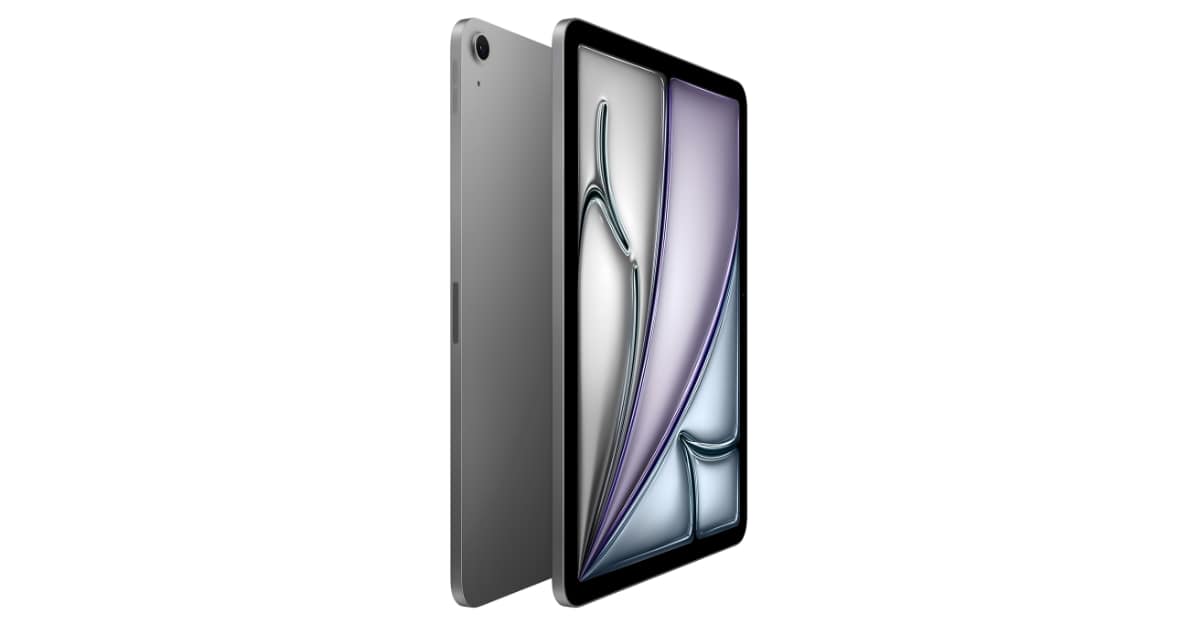
iPad Air M3 Display Raw processing power only matters if the display can keep up with it. This one does.
A lot of tablets in this price tier treat the screen as an afterthought, fine for Netflix, forgettable for anything more demanding. That’s not the case here.
Liquid Retina Panel – Precision Where It Actually Counts
The 11-inch Liquid Retina display packs a 2360 x 1640 resolution alongside P3 wide colour support, so reds render as genuine reds and blues stay true blue, sidestepping the slightly muted colour output cheaper screens tend to settle for.
True Tone – Adjusts Itself to Your Surroundings
True Tone shifts the screen’s colour temperature to match whatever light is around you. Scroll through something late at night and the display eases up rather than glaring back at you. Sit near a sunlit window during the day and the panel avoids looking artificially chilly. You won’t consciously notice True Tone doing its job, you’ll just notice the screen never looks off.
A Coating That Fights Glare
An ultra-low-reflectivity coating keeps reflections in check even under strong light, useful if you tend to work near windows or step outside, conditions where lesser displays turn into a mirror.
60Hz Refresh – The Honest Catch
Here’s where the iPad Air M3 asks for a trade-off. It runs at 60Hz rather than the 120Hz ProMotion screen found on the Pro lineup. Scrolling still feels smooth, just not the silky-fast motion the Pro delivers. Most people using this tablet day to day won’t clock the difference. If you sketch rapidly or play fast-paced games constantly, it’s a limitation worth weighing before buying.
Speed That Holds Up Over Years, Not Just at Launch
Fast onboard memory paired with quick storage keeps this tablet responsive well past its first twelve months of ownership. Apps launch promptly, sizeable camera files save without hesitation, and switching between tasks doesn’t introduce the kind of lag you’d expect from a device this price after a year and a half of regular use.
Also, read | Apple MacBook Neo A18 Pro Review: A Light and Smart MacBook for Daily Use
Cameras – Practical Rather Than Flashy
The iPad Air M3 has a 12MP camera on each side, and each one is designed around a specific job instead of chasing the biggest megapixel figure it can print on a spec sheet.
The front-facing 12MP Center Stage camera keeps you centred in frame during video calls, nudging the view slightly as you shift position so you’re not constantly repositioning yourself mid-conversation. The rear 12MP camera, paired with a True Tone flash, scans documents cleanly and shoots 4K footage whenever a standard photo won’t cut it.
Where this camera setup genuinely delivers: video calls, document scanning, and casual 4K clips captured in decent lighting.
Where you should temper expectations: this tablet was never designed to substitute for a dedicated camera, or even a recent flagship phone, when it comes to serious photography. If photo quality tops your priority list, that need is better met by a phone. At ₹59,900, the cameras here serve as a practical convenience, not the headline reason to pick this tablet.
Battery – Reliable for a Day, Not Pitched as a Multi-Day Device
The 28.93 Wh cell inside delivers roughly 10 hours of everyday use, a figure Apple publishes and one that verified buyers largely confirm in practice.
Here’s how that plays out based on real feedback from people actually using it:
Casual browsing, streaming, and note-taking: around 8 to 10 hours More demanding work like video editing: closer to 5 hours A full day of writing, emails, and video calls: handled without issue This tablet isn’t marketed as something that survives several days untouched, the way certain phone batteries now claim to. It’s built to comfortably clear a single day without you thinking twice about it, and it does that consistently.
Touch ID – A Simpler Way to Unlock
Rather than leaning on facial recognition, Touch ID sits inside the top button. For a tablet frequently propped up on a desk or angled on a stand, a quick thumb press feels more natural than lifting the whole device to your face the way Face ID demands on an iPhone.
Where Accessories Turn This Into a Real Workstation
iPad Air M3 with Apple Pencil This is the point where the iPad Air M3 stops behaving like a tablet and starts resembling a genuinely lightweight laptop substitute.
Pencil Support – Apple Pencil Pro and the USB-C Version
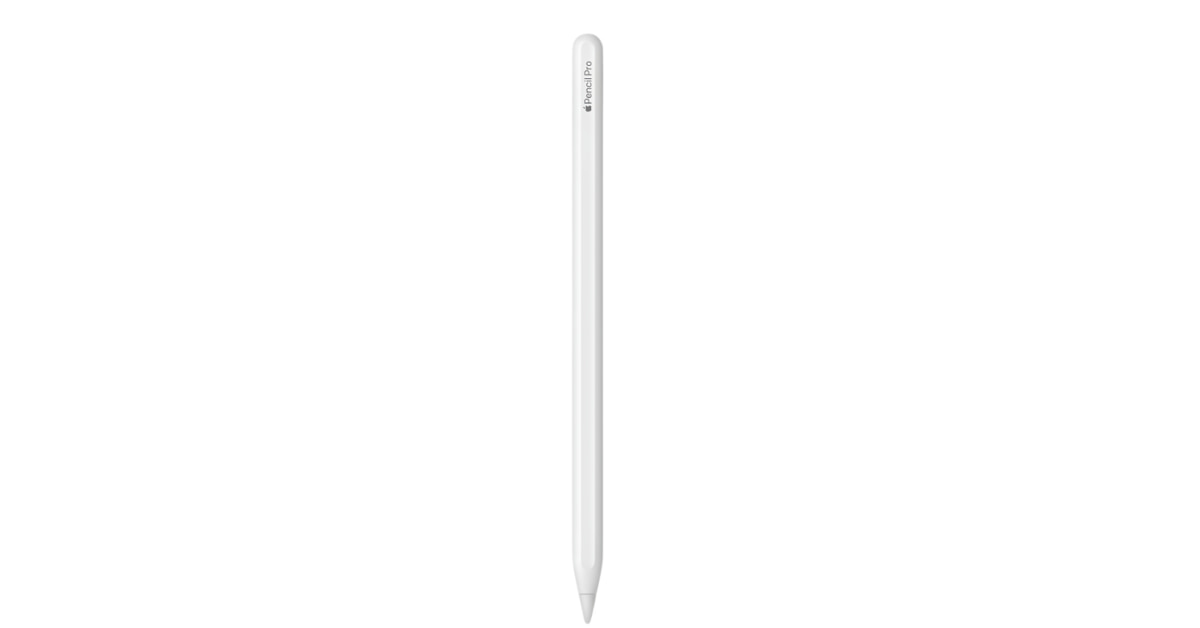
Both the Apple Pencil Pro and the USB-C Apple Pencil work with this tablet. Every stroke lands precisely where you intend, without the lag you’d get from a fingertip or an off-brand stylus. For note-taking, quick sketches, or annotating a document, this is one of the tablet’s genuinely standout capabilities.
Magic Keyboard – A Trackpad Plus a Real Function Row
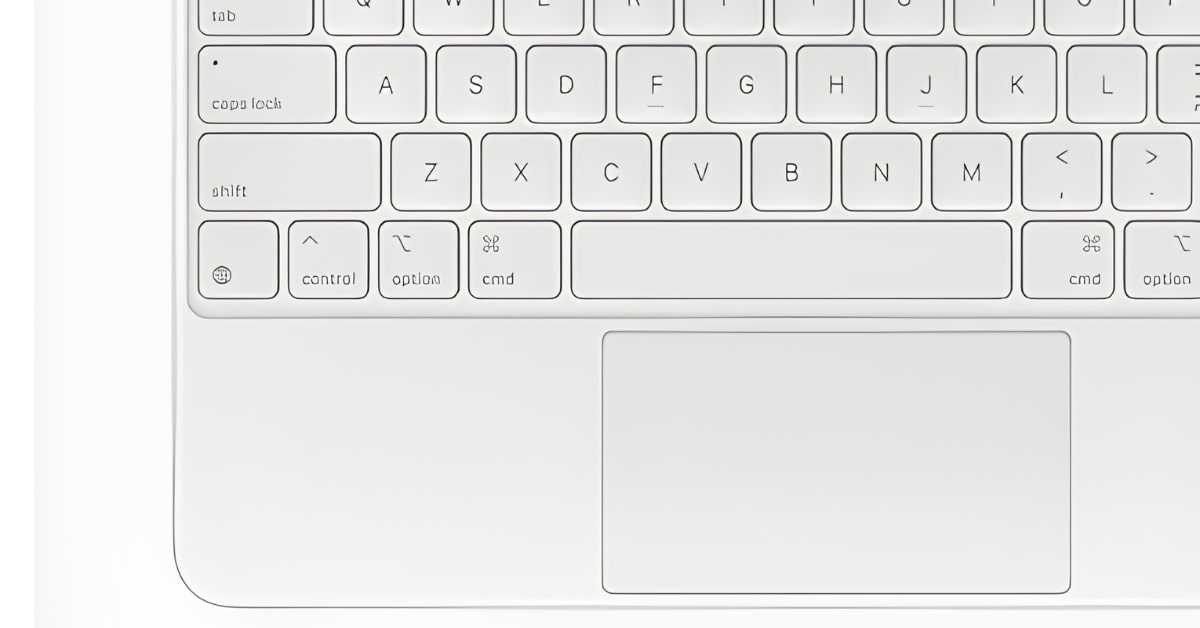
Attach the Magic Keyboard, purchased on its own, and you gain a built-in trackpad along with a 14-key row for adjusting brightness and volume without touching the screen. Once it’s clipped on, typing here starts to feel a lot closer to using an actual laptop.
Stage Manager – Multitasking the Desktop Way
iPadOS lets you keep several apps running side by side, and Stage Manager allows you to resize and layer windows the way you would on a computer, including plugging into an external screen. This is the piece that turns “tablet with a keyboard clipped on” into something that genuinely functions like a productivity machine.
Getting Online – Quick Wi-Fi Wherever You’re Working
This tablet supports Wi-Fi 6E, a quicker and less crowded wireless standard than what most tablets in this bracket ship with. If you regularly move large files or work out of a busy café or shared workspace, the difference over older Wi-Fi generations is noticeable.
The USB-C port pulls double duty, charging the device and also connecting external monitors, drives, and other accessories, so you’re not boxed into Apple-only peripherals for everything.
iPad Air M3 Against the Rest of Apple’s Lineup
Feature iPad Air M3 (11″) iPad (A16) iPad Pro (M4) Price ₹59,900, ₹34,900, ₹99,900 and up Chip Apple M3 Apple A16 Apple M4 Display 60Hz Liquid Retina 60Hz LCD 120Hz OLED, ProMotion Memory 8GB 6GB 8GB or 16GB Accessory Support Pencil Pro, USB-C Pencil, Magic Keyboard USB-C Pencil only Pencil Pro, Magic Keyboard Weight 0.46 kg 0.48 kg 0.44 kg Battery Life Roughly 10 hours Roughly 10 hours Roughly 10 hours
This tablet occupies the middle tier on purpose. The base iPad wins purely on price. The Pro wins on chip power and screen speed, but at nearly double the cost. For buyers who want genuine capability without paying Pro-level prices, the Air is a deliberate middle choice, not a lesser one.
Strengths and Honest Shortcomings
What lands well:
The M3 chip brings genuine laptop-grade performance to a tablet priced well under the Pro lineup. The screen holds up nicely for reading, streaming, and creative tasks. Battery life reliably covers a full working day. Support for the Pencil Pro and Magic Keyboard means this tablet can realistically stand in for a laptop across a large share of daily tasks.
Where it falls short:
Both the Apple Pencil and Magic Keyboard cost extra, and adding either pushes your total spend noticeably past the ₹59,900 sticker price. The 60Hz panel is smooth but doesn’t match the fluidity of the Pro’s 120Hz screen. The base 128GB tier can fill up quickly if your work leans on large creative files.
Who Should Actually Buy This
Pick the iPad Air M3 if:
You need a device capable of real creative or productivity work, not just video playback You plan to pair it with the Pencil or Magic Keyboard as a lightweight laptop stand-in You’re already invested in Apple’s ecosystem and want everything working together smoothly Battery endurance and portability rank higher for you than owning the absolute newest chip You want a screen sharp enough to handle both entertainment and detailed creative work Look elsewhere if:
A 120Hz screen for fast sketching or gaming is non-negotiable; the iPad Pro (M4) covers that, at a steep premium. Price matters more than raw performance; the standard iPad (A16) handles browsing and streaming for considerably less. 128GB won’t cover your storage needs, and you’d rather skip the extra cost of stepping up a tier
Frequently Asked Questions – iPad Air M3
Q1. How much does the iPad Air M3 cost in India? The 11-inch iPad Air M3 starts at ₹59,900 for the 128GB Space Gray variant, with 256GB, 512GB, and 1TB configurations priced higher.
Q2. Is the Apple Pencil compatible with this tablet? Yes, it works with both the Apple Pencil Pro and the USB-C Apple Pencil, making it well suited for note-taking, sketching, and marking up documents.
Q3. What kind of battery life should I actually expect? Apple rates it at roughly 10 hours. Verified buyers typically report 8 to 10 hours for casual browsing and streaming, dropping to around 5 hours under heavier workloads like video editing.
Q4. Can this replace a laptop day-to-day? For a large chunk of everyday tasks, writing, email, browsing, light editing – yes, particularly once you’ve added the Magic Keyboard with its trackpad and dedicated function row.
Q5. Does it support faster Wi-Fi standards? Yes, it includes Wi-Fi 6E, which delivers quicker speeds and holds up better on crowded networks compared to older Wi-Fi generations.
Q6. What are the camera specs on the iPad Air M3? A 12MP Center Stage front camera for calls, and a 12MP rear camera with True Tone flash capable of 4K recording and document scanning.
Q7. How does this compare to the iPad Pro? The Air runs the M3 chip with a 60Hz screen, while the Pro steps up to the M4 chip and a 120Hz ProMotion OLED display. The Pro costs considerably more and targets buyers chasing maximum performance and display fluidity.
Final Take – A Tablet for Buyers Who Don’t Want to Overpay for Speed
The iPad Air M3 isn’t chasing every kind of buyer. It’s aimed squarely at people who want genuine performance and a device that can stand in for a laptop day to day, without paying what the Pro lineup demands.
If your work involves creative tasks, note-taking, or heavy multitasking, the pairing of the M3 chip, Pencil Pro compatibility, and Stage Manager builds a workflow that cheaper tablets simply can’t match for speed or flexibility.
If you care about how long a device stays relevant, an M3 chip inside something this slim means this tablet won’t feel dated after the usual eighteen-month upgrade itch. That’s a longer shelf life than most tablets at this price offer.
The trade-offs here are upfront ones, accessories cost extra, the screen isn’t Apple’s fastest, and 128GB might not suit heavy creative workloads. Still, at ₹59,900, the iPad Air M3 knows exactly what job it’s built for, does that job well, and doesn’t apologize for the compromises made to get there.
👉 Buy iPad Air M3 on Amazon India – ₹59,900
Written by M. Akshay, Founder & Tech Writer, Bestructure.com. Published: July 6, 2026 | Last Updated: July 6, 2026. Price verified on Amazon India at the time of publishing. Prices may vary.
Latest Posts
Poco X8 and Poco X8 Power Launched in India: Price, Specifications, and Which One You Should Actually Buy

Nvidia Acquires Hugging Face for 13 Billion Dollars: Here’s Why This Deal Matters
Vivo T5 India Launch: Price, Specifications, and Everything Worth Knowing Before You Buy
iPhone 18 Pro and iPhone Ultra Expected Launch: Everything Reportedly Coming This September

iPhone 17 Pro Price Drop on Flipkart: Get It for Rs 81,000 With Exchange and Bank Offers

Best AirPods Case Options in 2026: Top 5 Picks Worth Buying Right Now

Moto G Max Launched in India: Price, Battery, Camera and Full Specifications

Fitbit Air India Launch Confirmed: Price, Specs, and Everything You Should Know

Pixel 11 Series Launched in India: Price, Specs, Tensor G6 Chip and Everything Else You Should Know
Redmi Note 17 5G India Launch: Price, Sale Date and Everything You Need to Know
iQOO Z11 India Launch Set for August 20: AI Features, New Design, and What to Expect